
Subaru Outback (BR): PTY (Program type) group tuning (only FM reception)
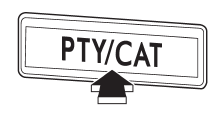
Press the “PTY/CAT” button to change to the PTY selection mode. At this time, the PTY group that you are currently listening to will be displayed for 10 seconds. In PTY selection mode, “PTY SEL” is displayed on the screen.
PTY (Program type) group selection
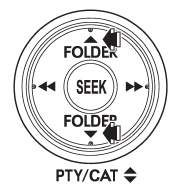
In PTY selection mode, press the “PTY” button “ ”
or “ ” to change the PTY group by one
step at a time.
Pressing “” changes the PTY group
up by one step. Pressing “” changes the
PTY group down by one step. This operation only changes the display. It does not
change the station that is currently being received.
Seek in PTY (Program type) group
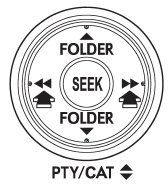
In the PTY selection mode, when the desired PTY group has been selected, pressing
the “SEEK” button “ ” or “
 ”
seeks within that PTY group. In this case, “PTY SEEK” is displayed on the screen.
Pressing “” seeks up. Pressing “”
seeks down.
The control function returns to the normal mode after approximately 10 seconds.
READ NEXT:
 RDS text display
If the PS (Program Service Name) and/or RT (Radio Text) are available, pressing
the “TEXT” button changes the display among PS, RT and frequency. The initial setting
is “PS”.
NOTE
`
Station preset
Preset buttons
How to preset stations
1. Press the “FM” or “AM” button to select FM1, FM2, FM3 or AM reception. 2.
Press the “” or “”
side of the “SEEK” button or tune the radio manually until the desired station f
SEE MORE:
Reduction Driven Gear
A: REMOVAL
1) Remove the transmission from the vehicle. <Ref. to CVT-55, REMOVAL,
Automatic Transmission Assembly.>
2) Remove the extension case. <Ref. to CVT-138, REMOVAL, Extension Case.>
3) Remove the rear drive shaft. <Ref. to CVT-141, REMOVAL, Rear Drive Shaft.>
4) Remove
System servicing
WARNING
● When discarding a seatbelt retractor assembly or scrapping the entire vehicle
damaged by a collision, consult your SUBARU dealer.
● Tampering with or disconnecting the system’s wiring could result in accidental
activation of the seatbelt pretensioner and/or airbag or co
