
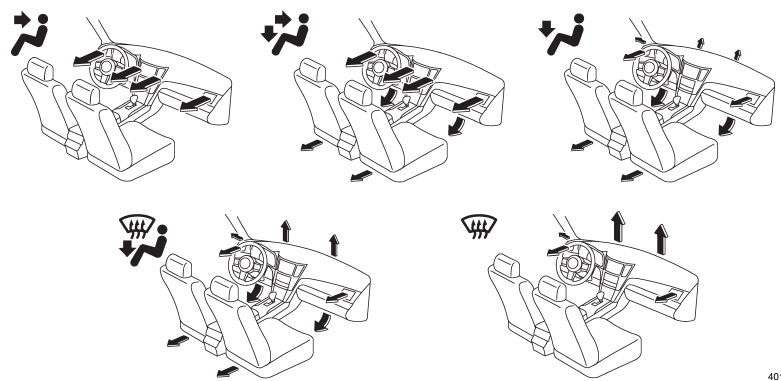
Subaru Outback (BR): Airflow selection
READ NEXT:
 Center ventilators
1) Open
2) Close
Move the tab to adjust the flow direction. To open the ventilator, turn the center
grille open/close wheel to the “” position.
To close it, turn the wheel to the “”
Side ventilators
1) Open
2) Close
Move the tab to adjust the flow direction. To open the ventilator, turn the side
grille open/close wheel upward to the “”
position.
To close it, turn the wheel downward t
SEE MORE:
To arm the system using power door locking switch
1. Close all windows.
2. Remove the key from the ignition switch.
3. Open the doors and get out of the vehicle.
4. Make sure that the engine hood is locked.
5. Close the doors (and the rear gate (Outback)) but leave only the driver’s door
or the front passenger’s door open.
6. Press the
Instrumentation/Driver Info
General Description
A: SPECIFICATION
Combination meter
Clock
B: CAUTION
Before disassembling or reassembling parts, always disconnect the
battery ground cable from battery.
When replacing the audio, control module and other parts provided with
memory functions, record the memory
cont
© 2010-2026 Copyright www.suoutback.com
