
Subaru Outback (BR): AM selection
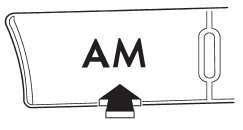
Press the “AM” button when the radio is on to select AM reception.
READ NEXT:
 Manual tuning
Turn the “TUNE/TRACK/CH” dial clockwise to increase the tuning frequency and
turn the “TUNE/TRACK/CH” dial counterclockwise to decrease it.
Each time the dial is turned, the frequency int
SEE MORE:
High/low beam change (dimmer)
To change from low beam to high beam, push the turn signal lever forward. When
the headlights are on high beam, the high beam indicator light “”
on the combination meter is also on.
To switch back to low beam, pull the lever back to the detent position.
Towing
WARNING
Never tow AWD vehicles (including AT, MT and CVT) with the front wheels raised
off the ground while the rear wheels are on the ground, or with the rear wheels
raised off the ground while the front wheels are on the ground. This will cause
the vehicle to spin away due to the operation
© 2010-2026 Copyright www.suoutback.com
