
Subaru Outback (BR): Auto-store
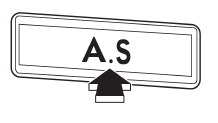
Using the Auto-store function, you can automatically store 6 stations on the current waveband by pressing the “A.S” button for more than 2 seconds. Use Autostore to quickly find the strongest stations, for example when traveling through different reception areas.
NOTE
● When you use Auto-store, the new stations replace any stations previously stored.
● Interrupting Auto-store: If you accidentally press the “A.S” (Auto-store) button, you can cancel the Auto-store function before it has been completed as follows.
– Switching to the other source – Switching to the other band – Press the “A.S” button – Press the “SCAN” button – Press the “SEEK” button – Press any of the preset buttons – Turn the “TUNE/TRACK/CH” dial – Turn off the audio system – Turn off the ignition switch
● When you use the Auto-store function while selecting the FM mode, even if you have selected the FM1 or FM2 station, the new stations are stored in the FM3 station.
● If it is only possible to receive less than 6 stations, the available stations are stored from preset 1 in order by frequency and the unused preset buttons are not registered to a station.
Also, the previously registered station memories of the unused preset buttons are cleared.
● If no stations can be received, the previously stored stations are not replaced.
● After pressing the “A.S” button, if more than 1 station is stored, the radio receives the station stored in preset 1.
● After pressing the “A.S” button, if no stations are stored, the radio receives the band and station that the radio received before pressing the button.
READ NEXT:
 Satellite radio operation (if equipped)
To receive satellite radio, it is necessary to install the SUBARU genuine satellite
receiver for some models, and to enter into a contract with a satellite radio network
service such as “XMTM sa
XMTM satellite radio (for U.S.A. only)
XMTM is a continental U.S. based satellite radio service, including music, news,
sports, talk and children’s programming. XMTM provides digital quality audio and
text information, including song
Sirius satellite radio
Sirius satellite radio is a recent innovation that allows the listener to experience
digital sound quality and to have a greater variety of channels.
Use of satellite radio (Sirius) requires a tune
SEE MORE:
Automatic climate control system (if equipped)
NOTE
● Operate the automatic climate control system when the engine is running.
● The blower fan rotates at a low speed when the engine coolant temperature is
low.
For efficient defogging or dehumidifying in cold weather, press the “A/C” button.
The automatic climate control sy
Remote transmitter program
New transmitters can be programmed to the remote engine start system in the event
that a transmitter is lost, stolen, damaged or additional transmitters are desired
(the system will accept up to eight transmitters). New remote engine start transmitters
can be programmed according to the follow
