
Subaru Outback (BR): Passenger’s side power window switches
Subaru Outback (BR) 2010-2015 Owners Manual / Keys and doors / Windows / Power window operation by passengers / Passenger’s side power window switches
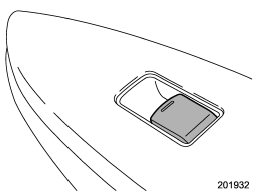
Each passenger window can be controlled by the power window switch located on the door.
READ NEXT:
 Operating the windows
To open: Press the switch down and hold it until the window reaches the desired
position.
To close: Pull the switch up and hold it until the window reaches the desired
position. When the lock s
Initialization of power window
If the vehicle’s battery is disconnected due to situations such as battery or
fuse replacement, the following functions are deactivated.
● One-touch auto up/down function
● Anti-entr
Rear gate (Outback)
The rear gate can be locked and unlocked using any of the following systems.
● Power door locking switch: Refer to “Power door locking switches” F2-7.
● Remote keyless entry system
SEE MORE:
Vehicle load limit – how to determine
The load capacity of your vehicle is determined by weight, not by available cargo
space. The load limit of your vehicle is shown on the vehicle placard attached to
the driver’s side B-pillar. Locate the statement “The combined weight of occupants
and cargo should never exceed XXX kg or XXX
Front Brake Pad
A: REMOVAL
1) Lift up the vehicle, and then remove the front wheels.
2) Remove the front brake pad.
Remove the caliper bolt.
Raise the caliper body and support it.
NOTE:
Do not disconnect the brake hose from the caliper body.
Remove the brake pad from support.
B: INSTALLATION
1. 16-INCH TY
© 2010-2026 Copyright www.suoutback.com
